 |
IPSDK 4.2
IPSDK : Image Processing Software Development Kit
|
|
IPSDK 4.2
IPSDK : Image Processing Software Development Kit
|
The Representative Elementary Volume (REV) represents the smallest volume over which a measured property can be considered statistically representative of the whole volume or material.
At small observation scales, measured properties such as phase fraction or porosity strongly depend on local heterogeneities. As the observation window increases, these properties progressively stabilize and converge toward a mean value. The REV is reached when the variability of the measured quantity becomes sufficiently small compared to its mean, indicating that the selected volume is representative of the overall structure.
The REV Estimator plugin provides a practical and visual tool to estimate this characteristic scale from binary images by analyzing how a target statistical quantity evolves with increasing block sizes.
This plugin is free and is accessible in the IPSDK Explorer toolbar. If the plugin isn't visible, it is possible to enable it by clicking the Tools -> Plugins menu.
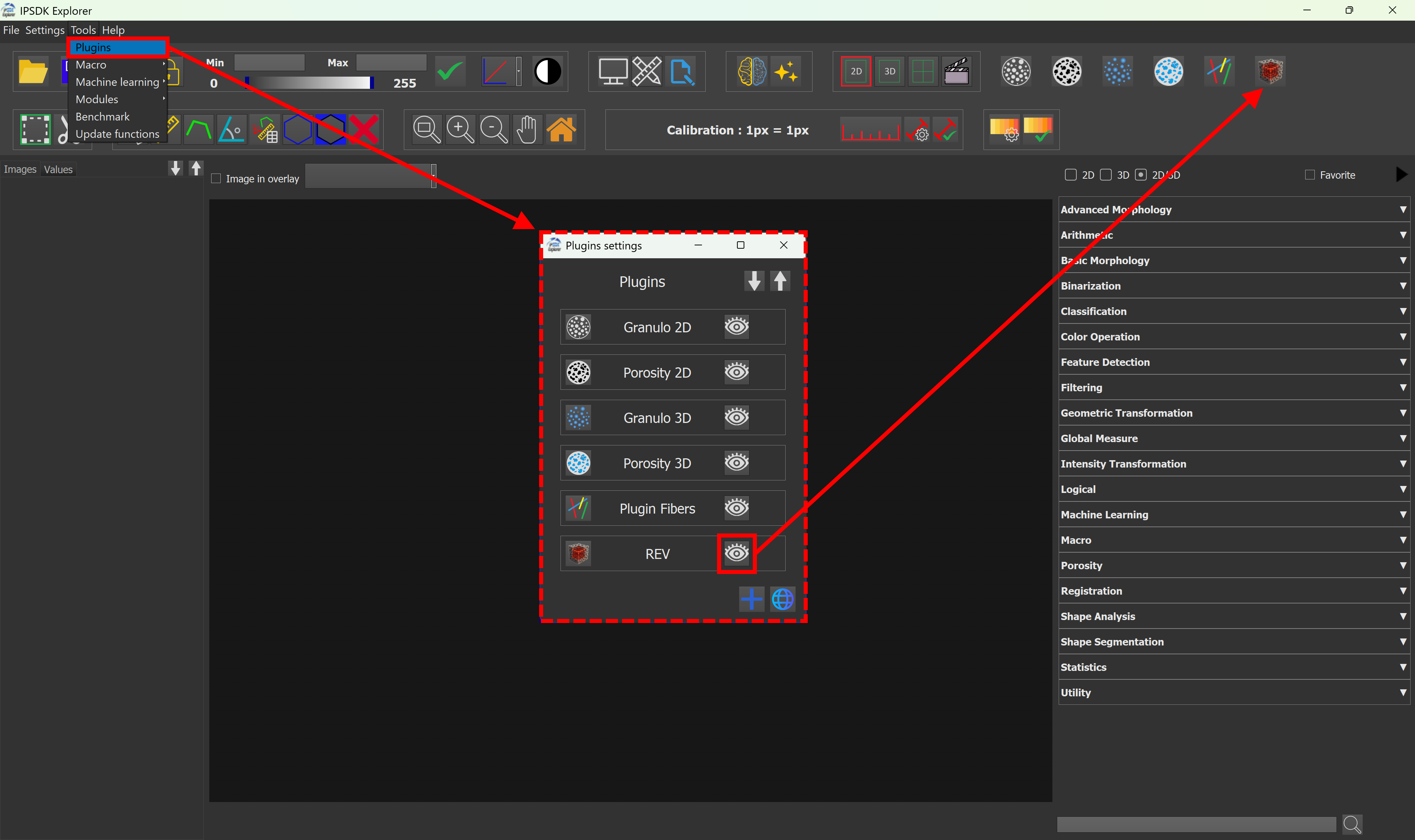
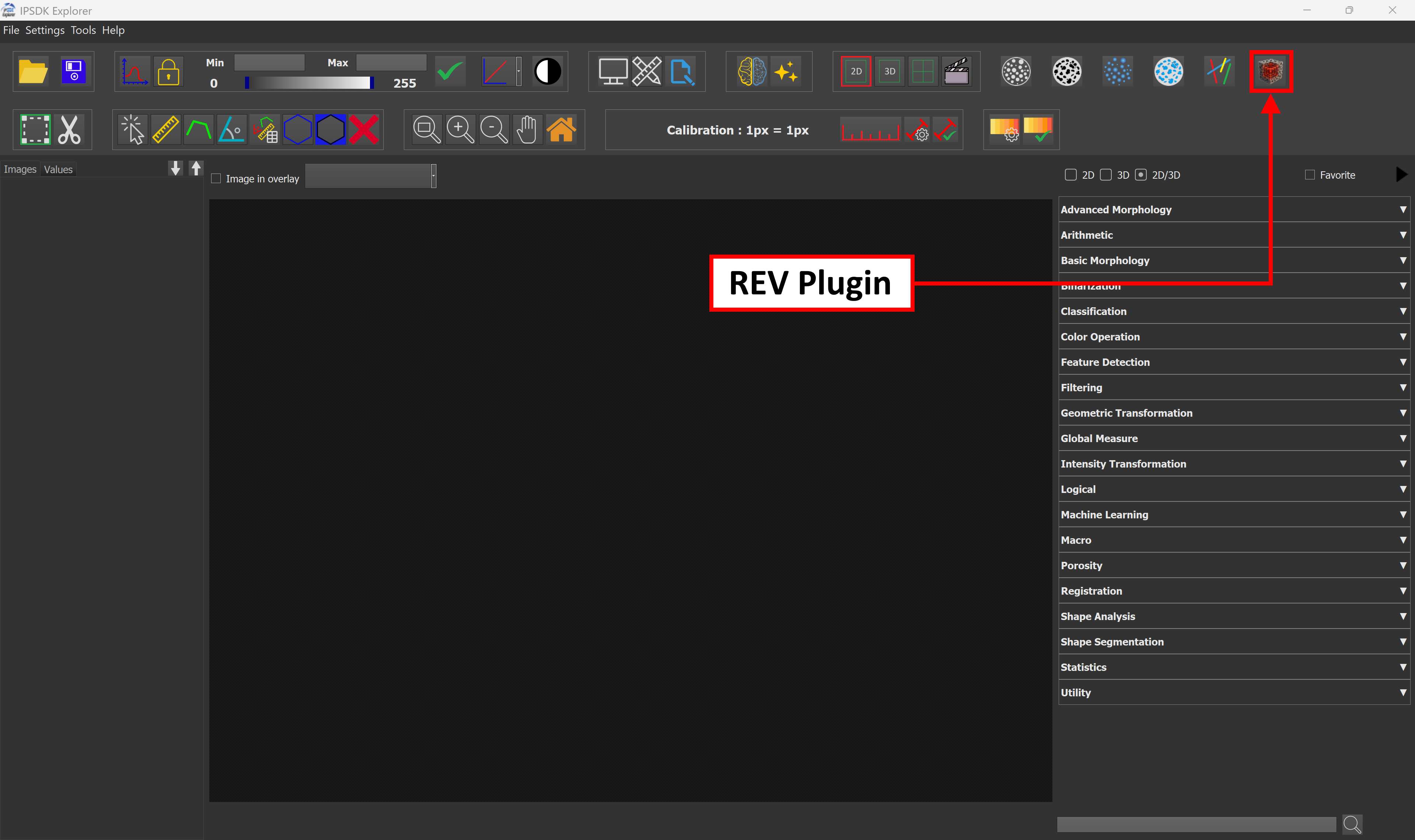
Once enabled, the plugin should be accessible inside the software at the top right.
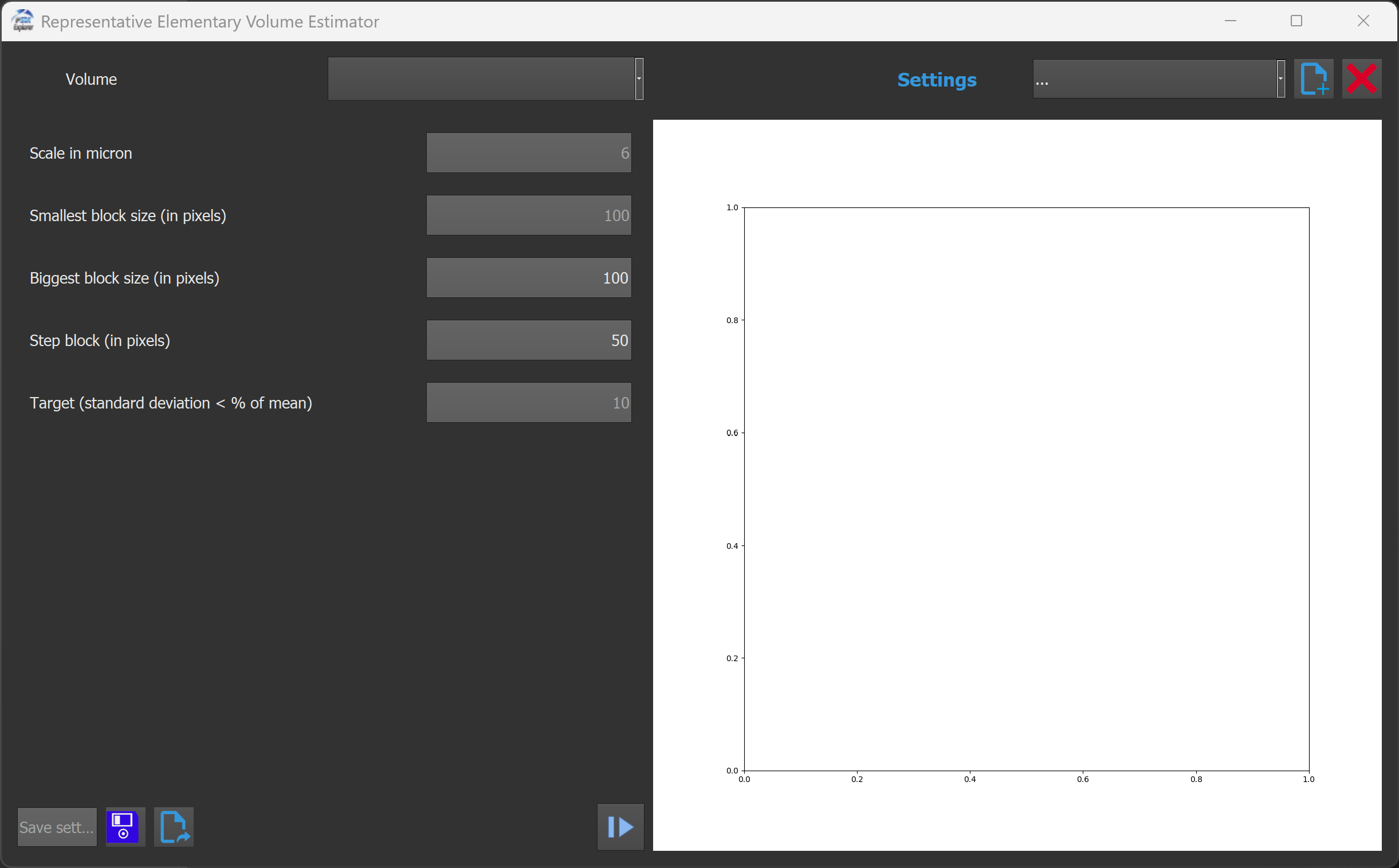
When clicking the REV plugin button, a new window opens where it is possible to configure parameters, run estimation process, and visualize results.
At the top of the window, a drop-down list allows to select an input image.
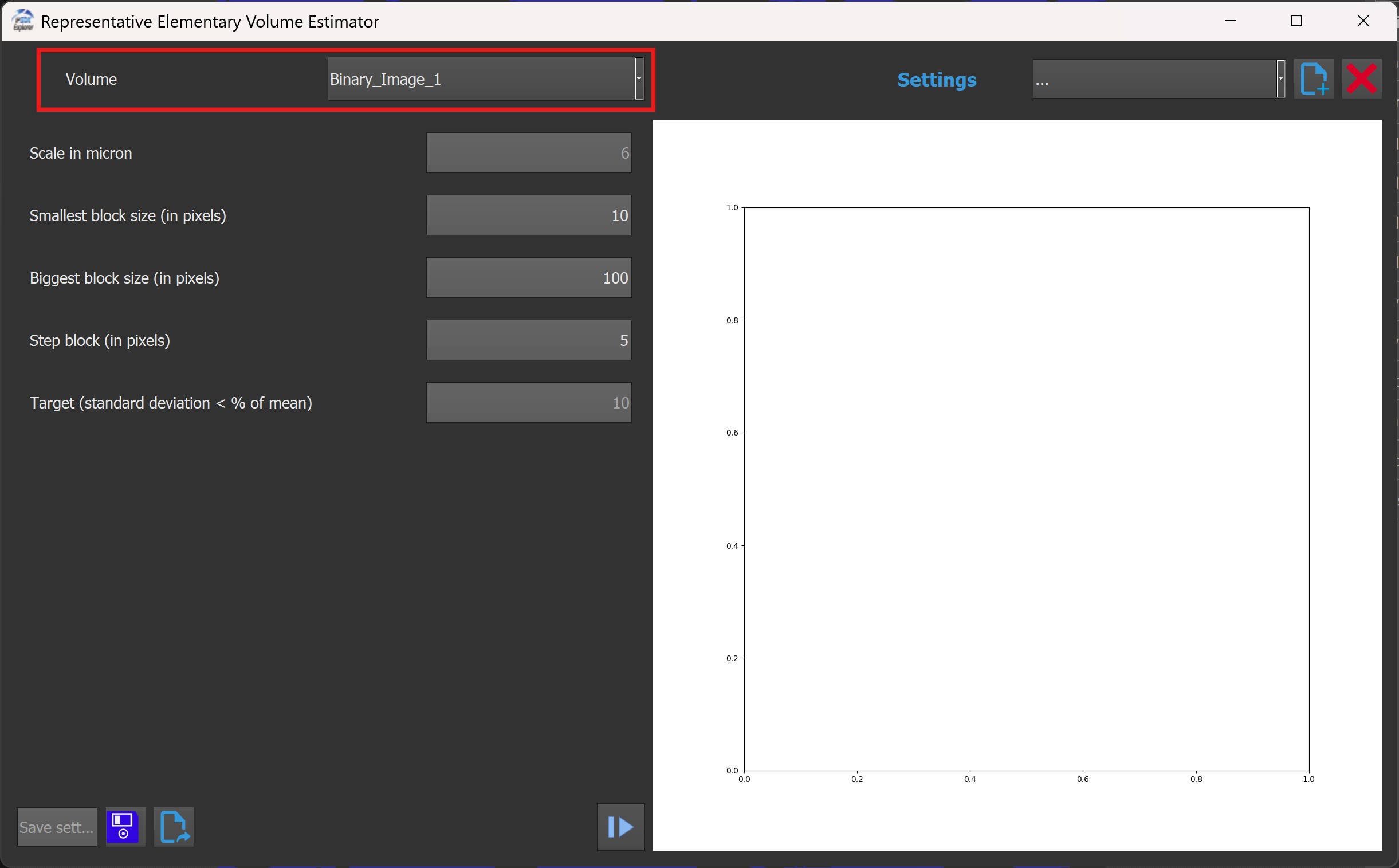
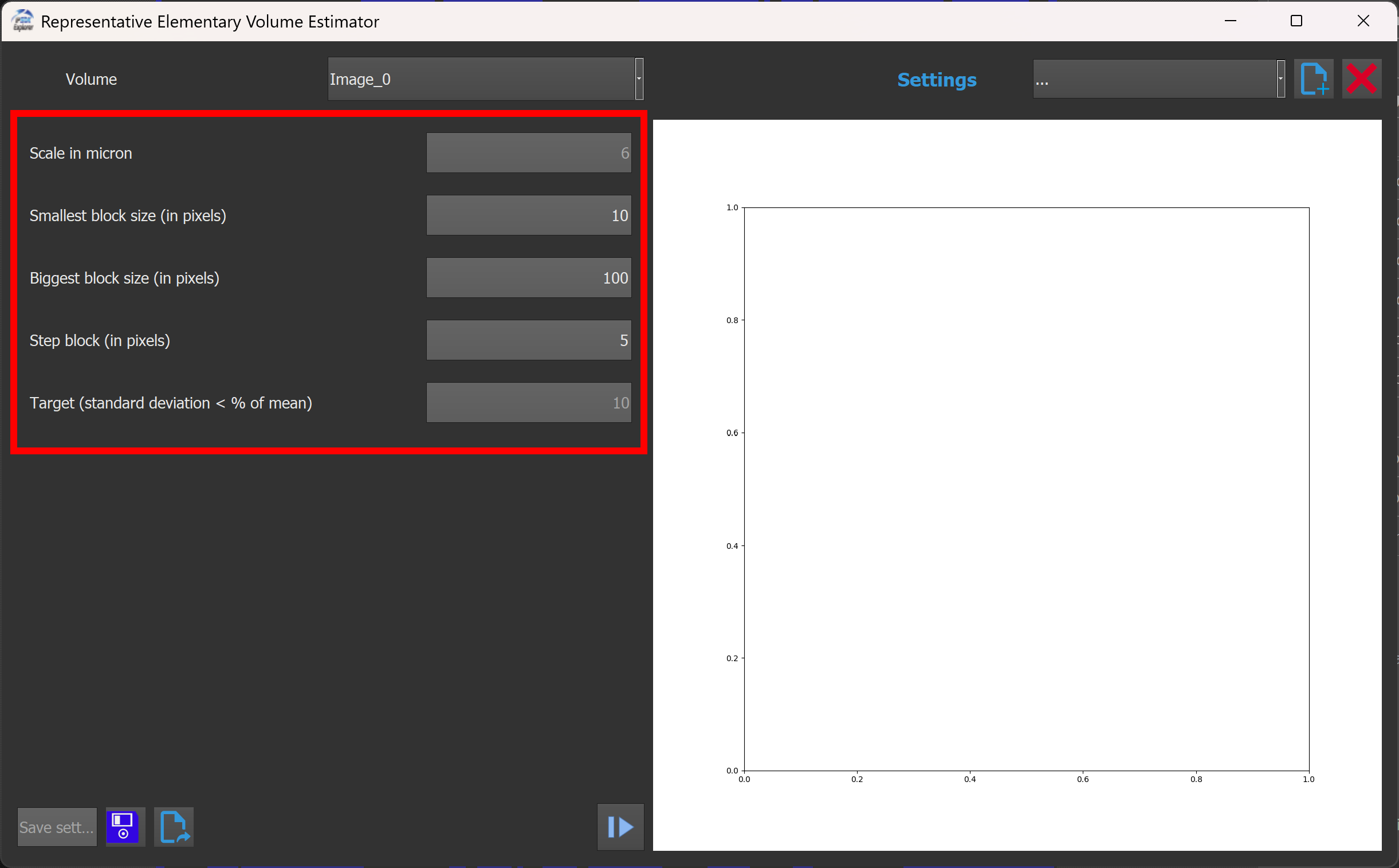
On the left side of the window, the following parameters can be adjusted:
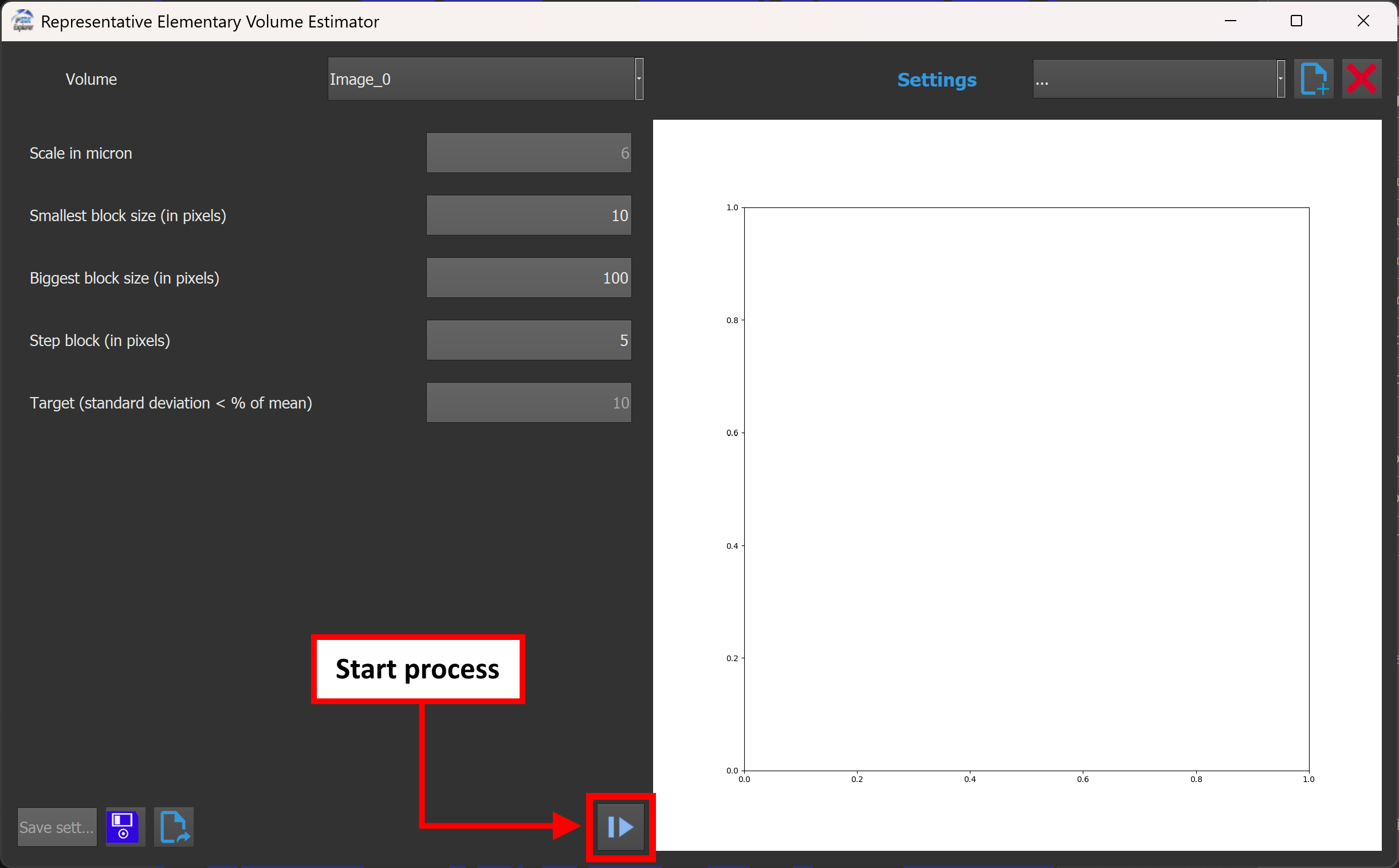
A Play button is located at the bottom of the window, to the left of the graph. Clicking this button starts the REV estimation process.
The computation runs interactively, and the graph is progressively drawn live.
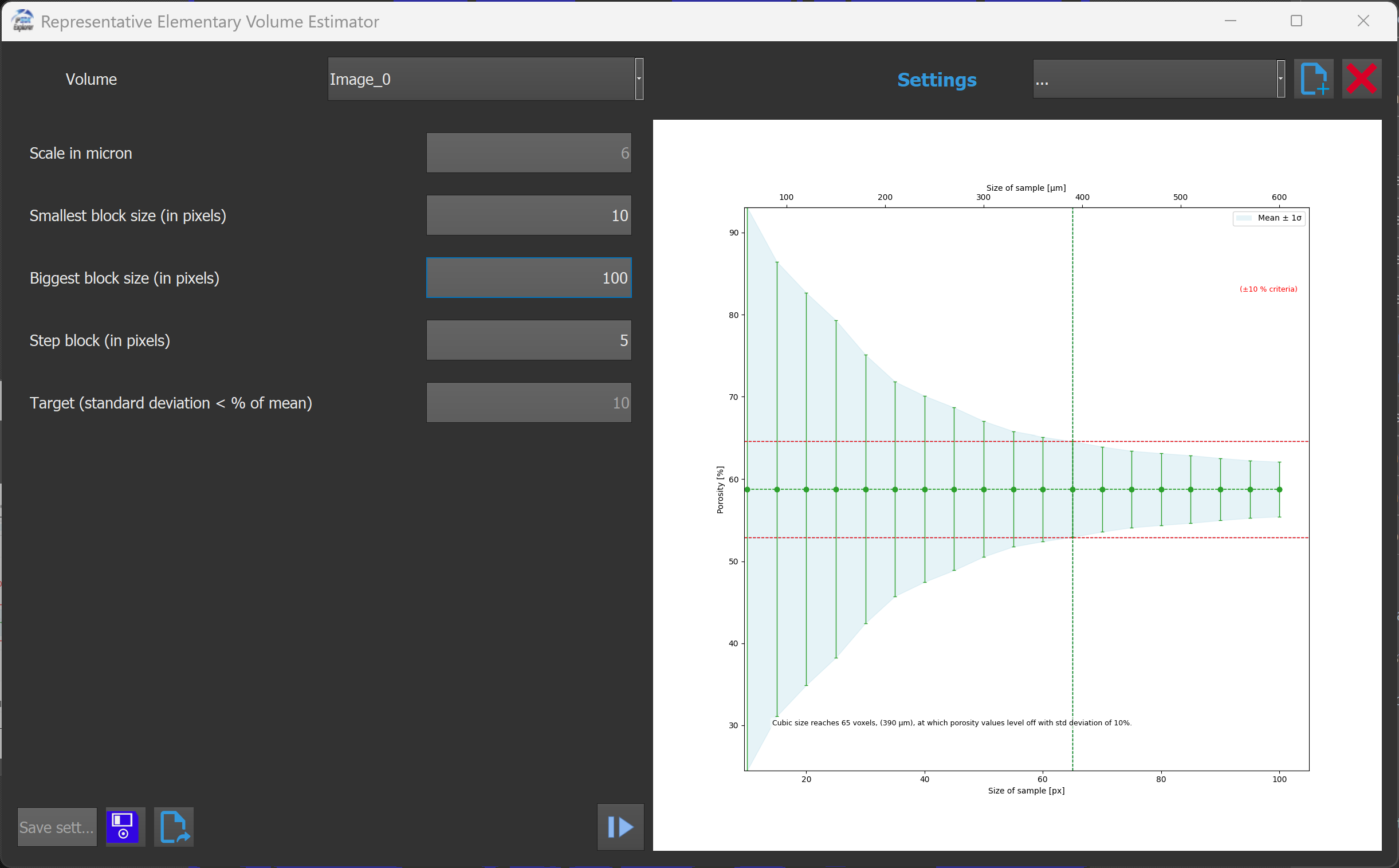
On the right side of the window, a graph displays the evolution of the measured quantity relative to the block size.
As the computation progresses, the graph is updated in real time, allowing to visually assess convergence behavior and identify the REV.
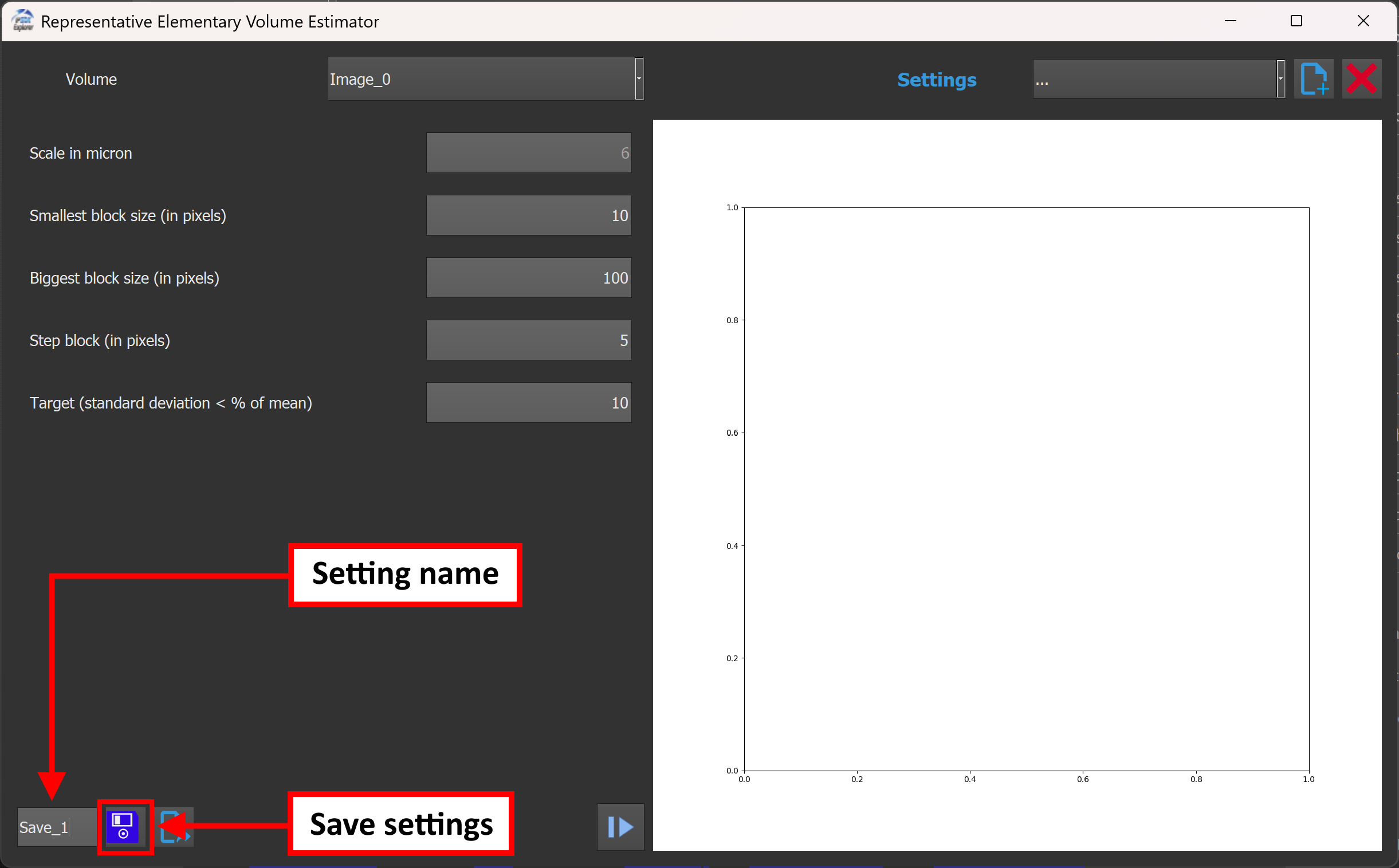
The plugin includes a complete system for managing parameter configurations, allowing to save, reload, export, import, and delete settings.
In the bottom-left corner of the window, a text field allows to enter a project or preset name. By entering a name and clicking the save button, the current parameter configuration is stored for later reuse.
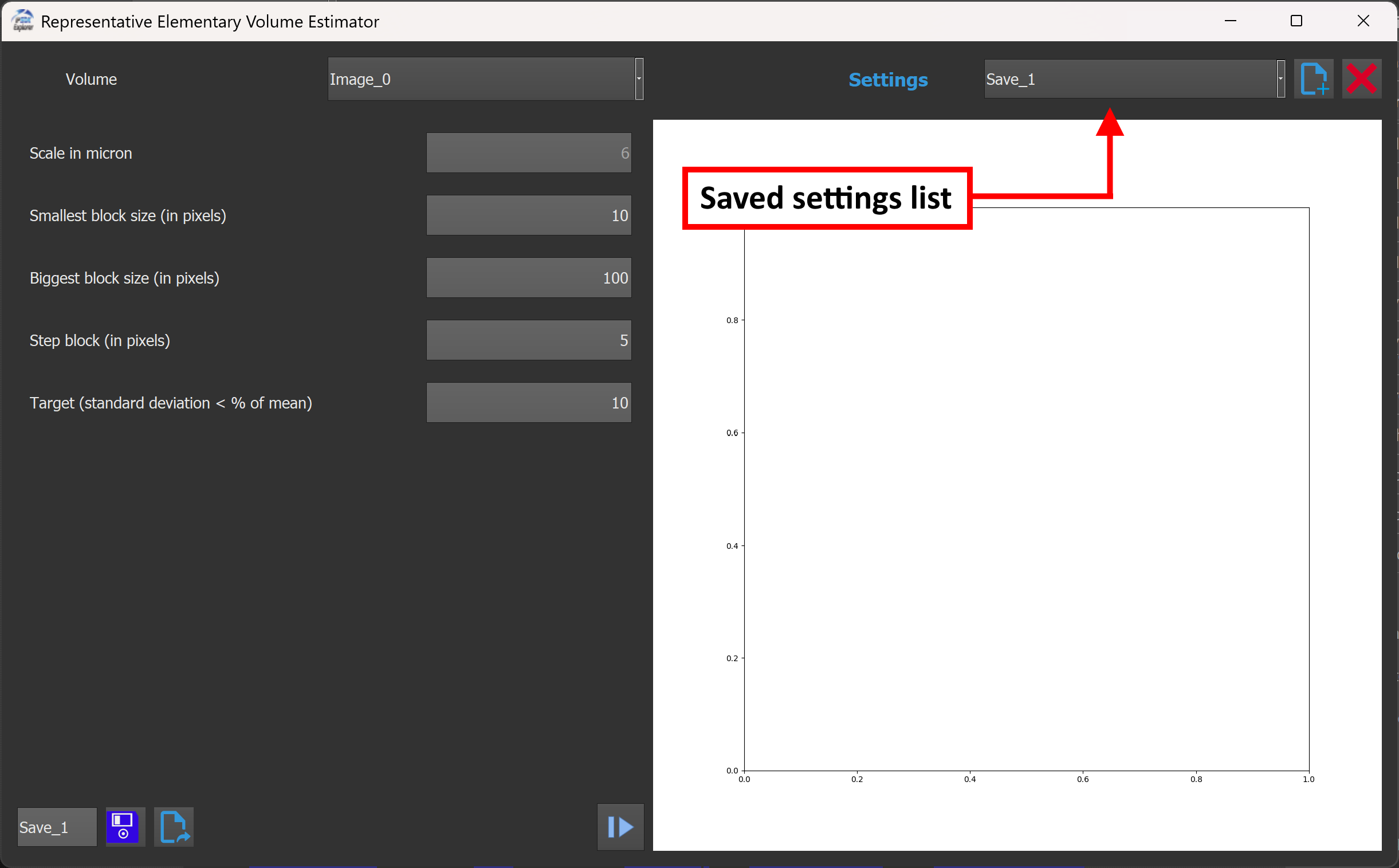
Previously saved settings can be reapplied from the top-right section of the window. It is possible to select a configuration from the drop-down list to restore all associated parameters.
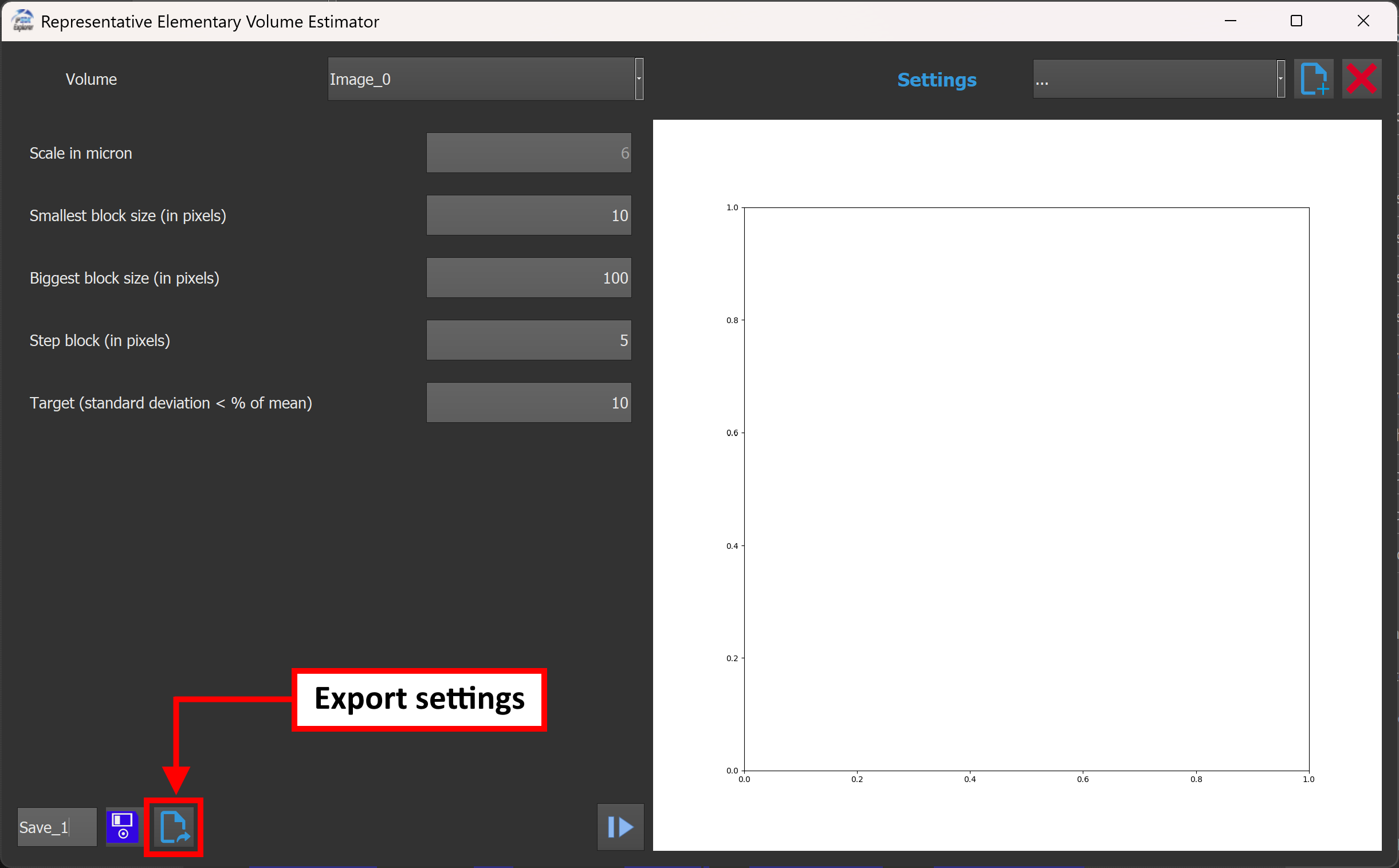
Parameter sets can be exported using the Export button located at the bottom-left of the window, next to the save button.
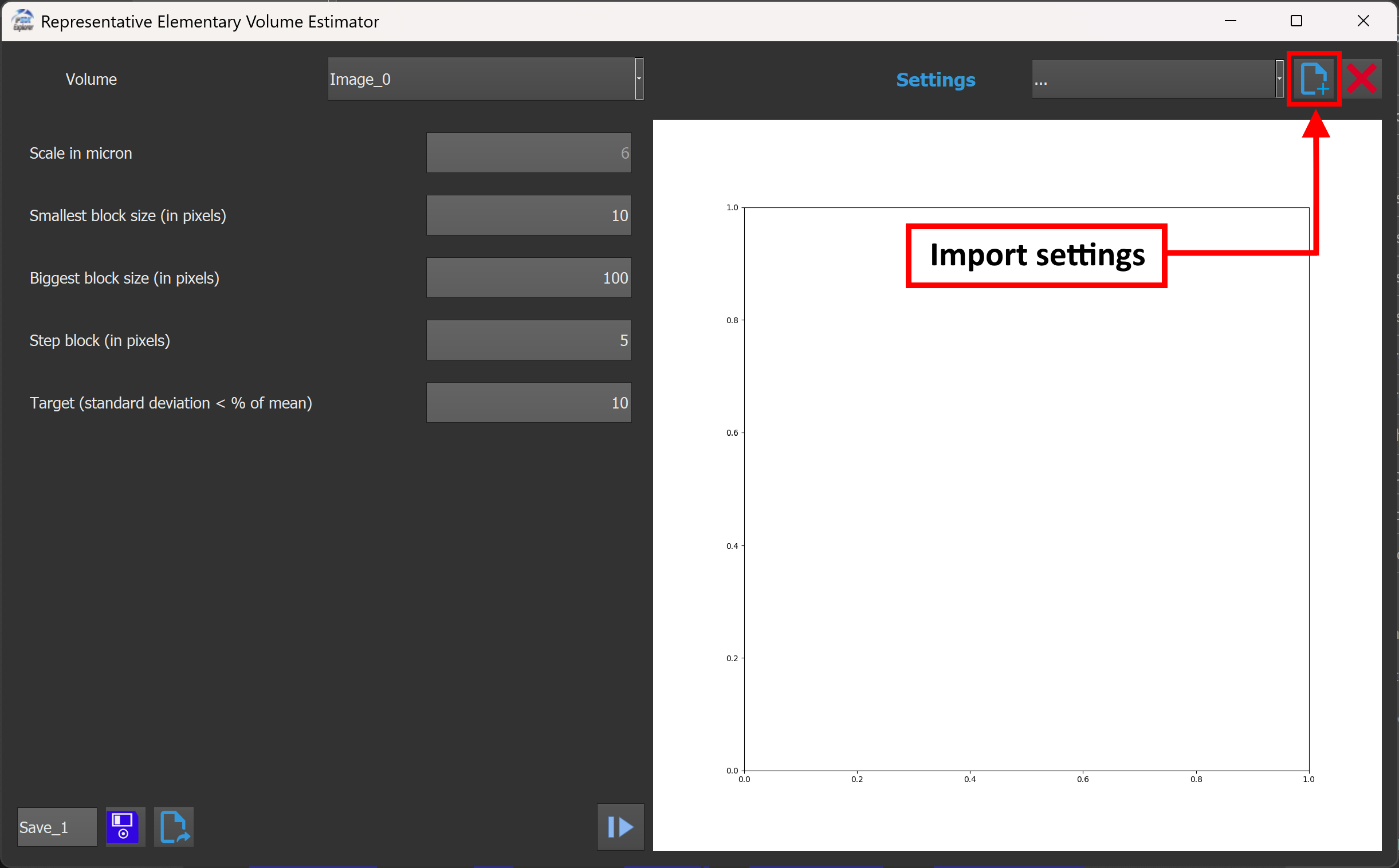
Parameter sets can be imported using the Import button located in the top-right section of the window, next to the settings selection list.
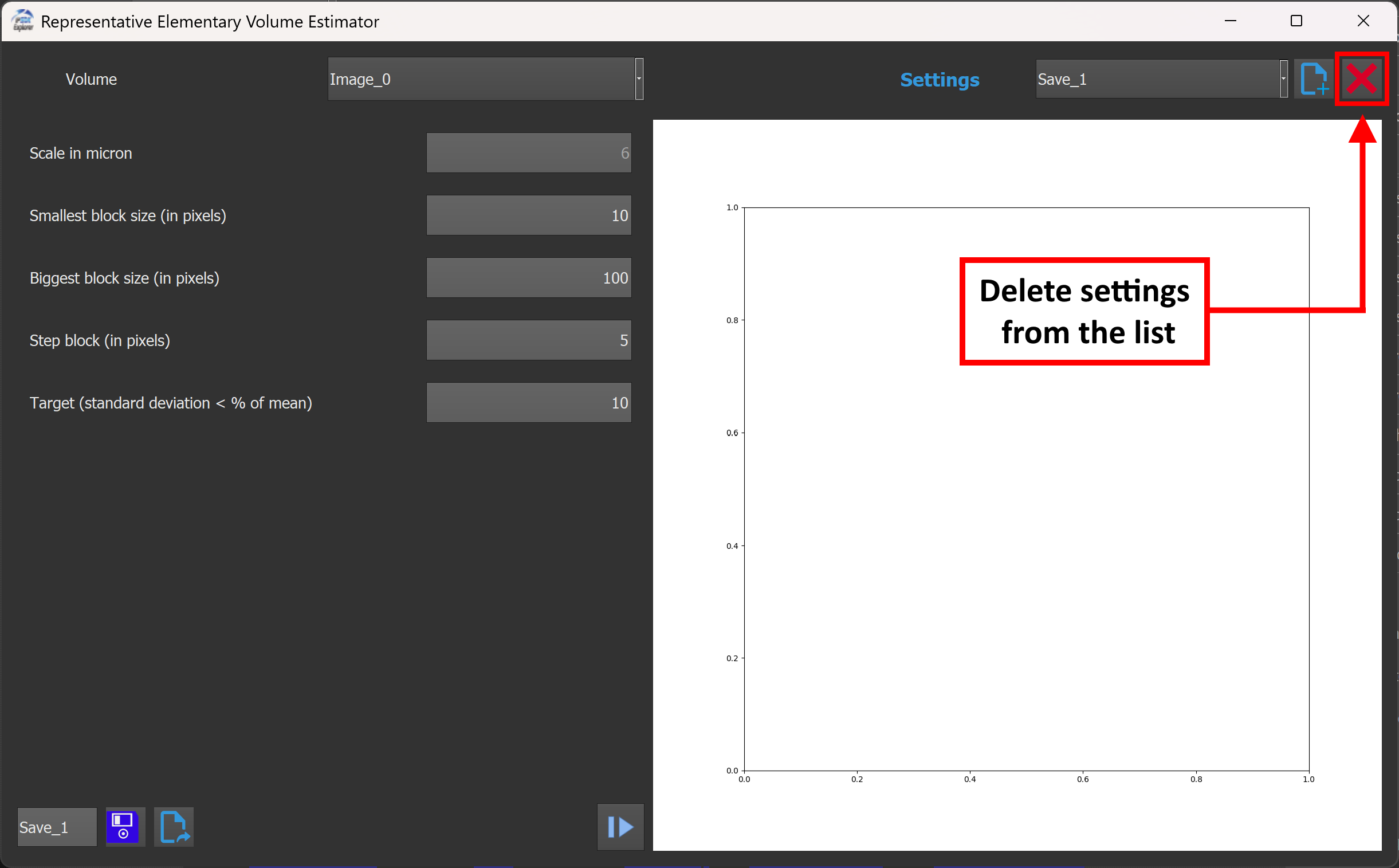
Saved parameter configurations can be removed using the dedicated delete button located in the top-right area, next to the configuration import functionality.
Plugin page : https://www.reactivip.com/project/rev-estimator/
Wikipedia source : https://en.wikipedia.org/wiki/Representative_elementary_volume
 IPSDK by Reactiv'IP